Pro
Analytics
Insights into your rental business performance
Pro
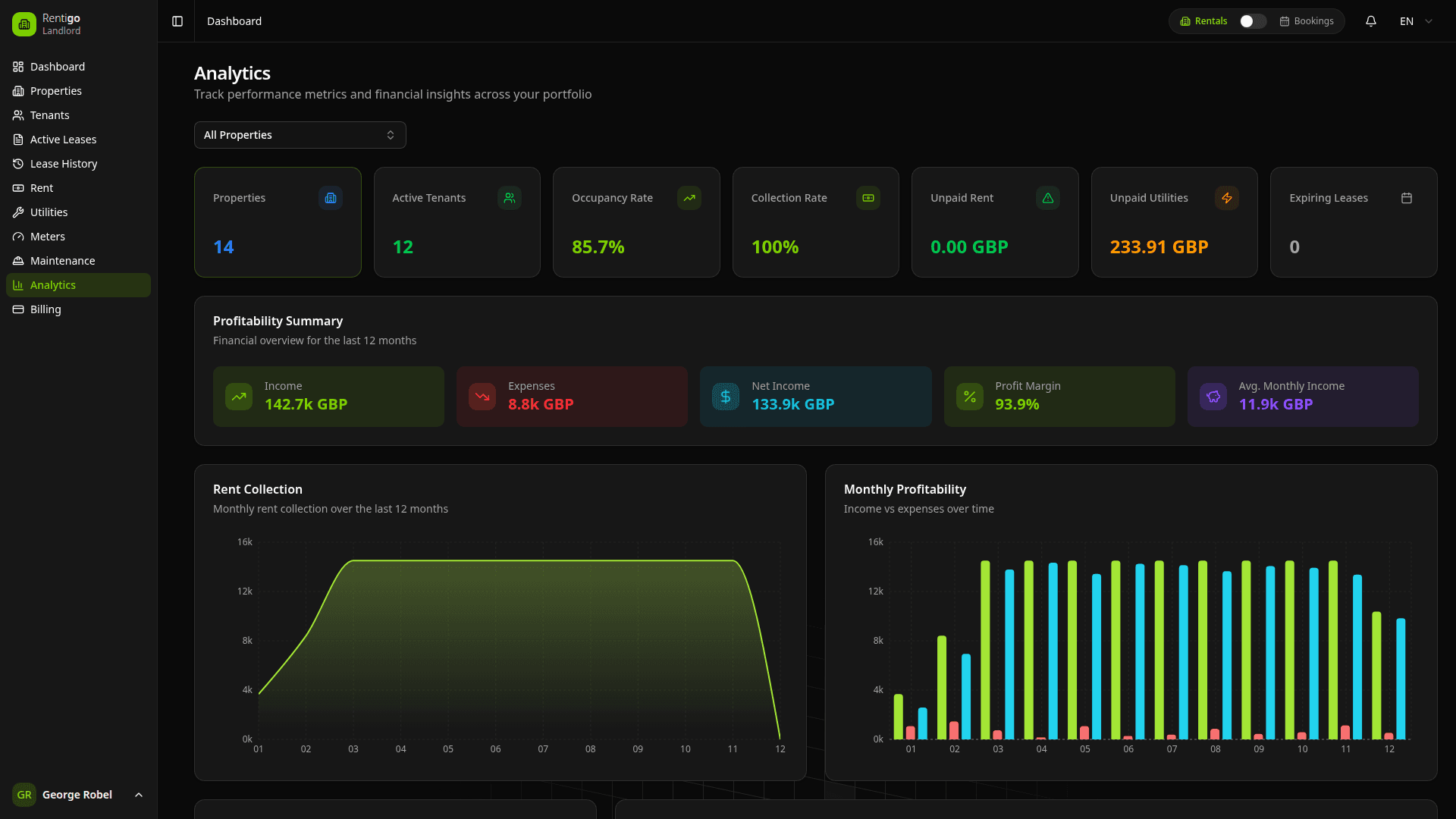
Comprehensive analytics for your rental portfolio
Analytics in Rentigo help you understand your rental portfolio's performance, track key metrics, and make data-driven decisions.
Analytics Features
- Portfolio Overview - High-level performance summary
- Financial Metrics - Revenue, expenses, and profitability
- Occupancy Tracking - Vacancy rates and trends
- Payment Analysis - Collection rates and timing
- Property Comparison - Compare performance across properties
Dashboard Metrics
The analytics dashboard displays:
| Metric | Description |
|---|---|
| Total Revenue | Rent and other income collected |
| Occupancy Rate | Percentage of properties rented |
| Collection Rate | On-time payment percentage |
| Expenses | Maintenance and other costs |
| Net Income | Revenue minus expenses |
Time Periods
Analyze data across different periods:
- Month to Date - Current month progress
- Year to Date - Full year summary
- Custom Range - Select any date range
- Year over Year - Compare to same period last year
Charts and Visualizations
Charts update in real-time as you add data to Rentigo.
Revenue Chart
Track income over time:
- Monthly revenue trend
- Breakdown by property
- Compare to previous periods
Expense Chart
Monitor costs:
- Maintenance expenses
- Management fees
- Other costs
- Year-over-year comparison
Occupancy Chart
Visualize vacancy patterns:
- Occupancy rate over time
- Vacancy duration
- Seasonal trends
Filtering Data
Narrow your analysis:
- By Property - Single property or selection
- By Date Range - Specific time period
- By Category - Revenue type, expense type
- By Status - Active, completed, etc.
Exporting Data
Download reports for external use:
1
Apply Filters
Set the date range and filters you want.
2
Click Export
Click the Export button.
3
Choose Format
Select CSV, PDF, or Excel format.
4
Download
Save the file to your device.
Next Steps
- KPIs - Key performance indicators explained
- Owner Reports - Reports for property owners