Leases
Managing rental agreements in Rentigo
Leases in Rentigo represent the formal rental agreements between you and your tenants. They define the terms of occupancy, rent amounts, and duration.
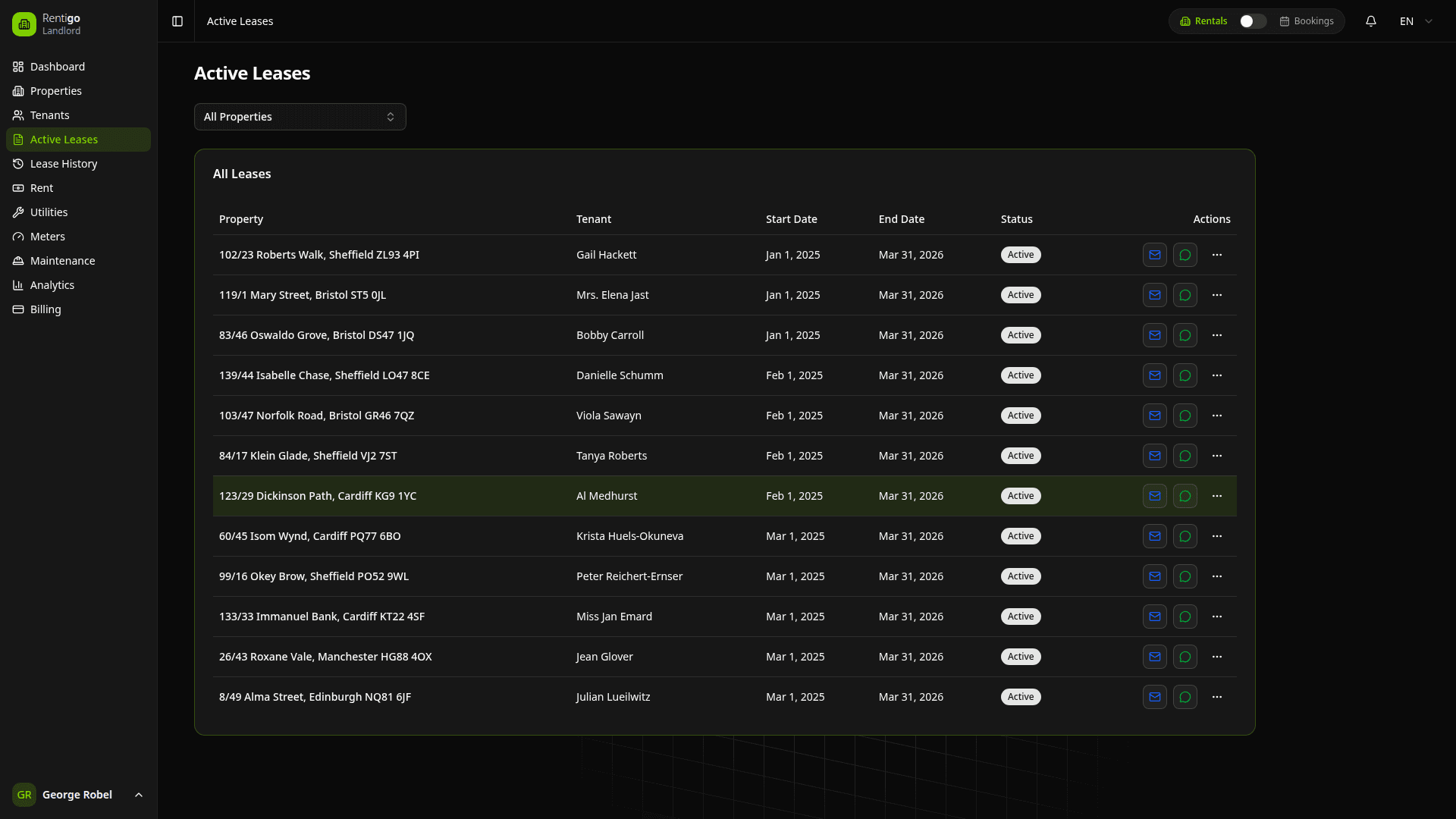
This section covers long-term leases for traditional tenants. For short-term vacation rentals, see Bookings.
How Leases Work
Unlike many platforms, Rentigo doesn't have a manual "Create Lease" form. Instead, leases are automatically created when tenants accept their invitations:
- You invite a tenant with lease dates and rent amount
- Tenant receives an email and registers
- Lease is automatically created and activated
This ensures every lease is linked to a verified tenant with portal access.
Lease Features
Each lease in Rentigo tracks:
- Duration — Start and end dates of the agreement
- Rent Amount — Monthly payment amount
- Property — The rental unit covered by the lease
- Tenant — The person renting the property
- Status — Current state of the lease
- Documents — Uploaded lease agreements and addendums
Lease Status
Leases automatically track their status:
| Status | Description |
|---|---|
| Pending | Invitation sent, waiting for tenant to accept |
| Active | Currently in effect |
| Expiring Soon | End date approaching (within 30 days) |
| Ended | Reached the end date |
| Terminated | Ended early by either party |
Rentigo automatically updates lease statuses based on dates. You'll receive notifications when leases are expiring soon.
Quick Actions
From the leases list, you can:
- View Details — See complete lease information and history
- Upload Documents — Attach signed lease PDFs
- Renew — Send a renewal invitation when the current lease expires
- Terminate — End the lease early
Lease Documents
Store your signed lease agreements and related documents:
- Upload PDFs — Attach signed lease contracts
- OCR Scanning — Automatically extract key information
- Tenant Access — Tenants can view documents in their portal
Related Features
Leases are connected to:
- Rent Payments — Monthly rent is generated based on lease terms
- Deposits — Security deposits can be tracked per lease
- Meter Readings — Tenants can submit readings during their lease period
- Maintenance — Requests are linked to the active lease
Next Steps
- Creating Leases — How automatic lease creation works
- Status Tracking — Monitor lease lifecycle
- Rent Tracking — Managing rent payments
- Deposits — Tracking security deposits