Tenants
Managing tenants in your rental properties
Tenants are the people who rent your properties on long-term leases. Rentigo helps you manage tenant relationships from invitation through move-out, with a dedicated tenant portal for self-service.
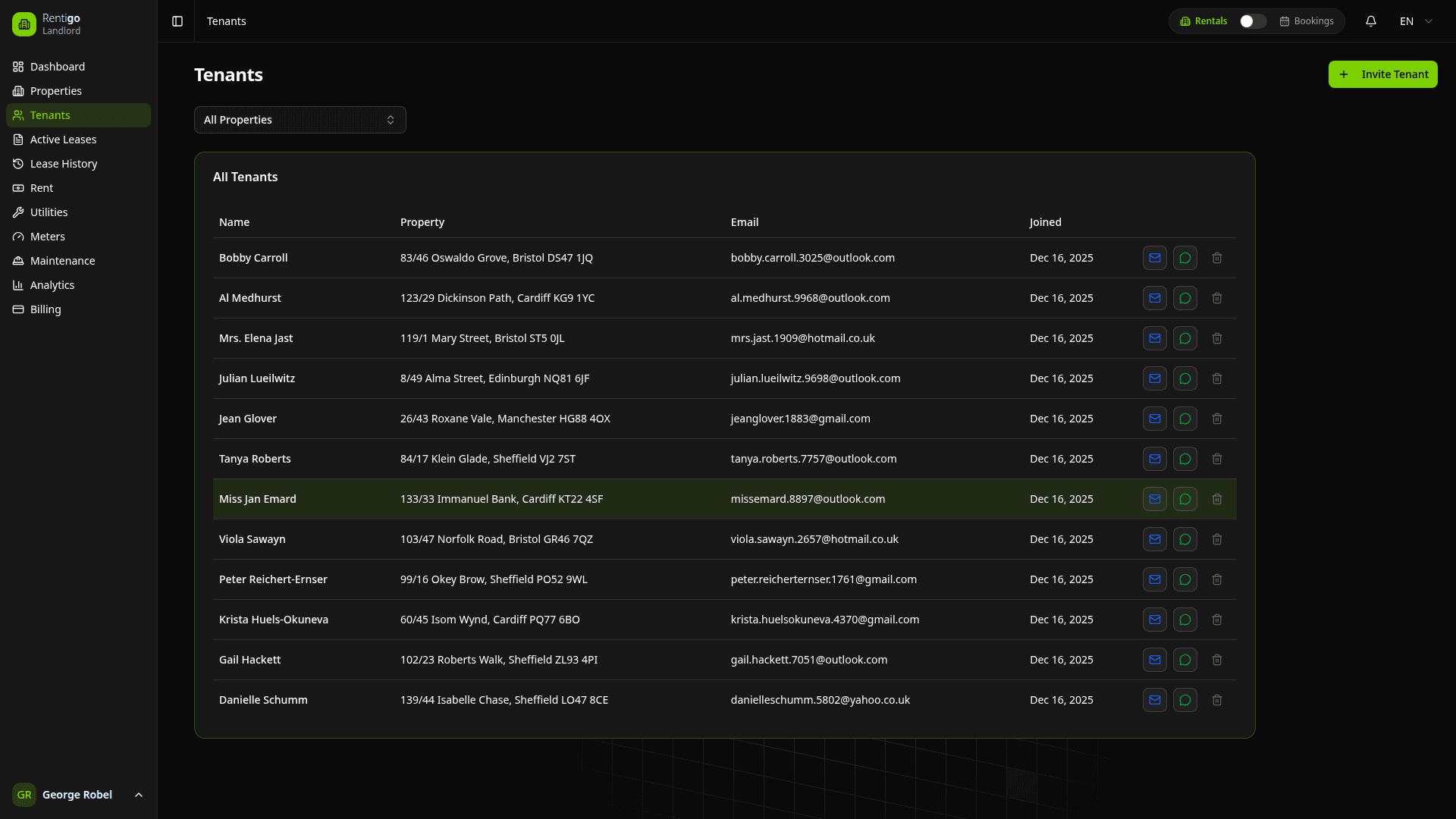
This section covers long-term rental tenants. For short-term vacation rental guests, see Bookings.
How Tenants Work
Tenants in Rentigo are created through the invitation process:
- You invite a tenant to a specific property with lease terms
- They receive an email and register their account
- A lease is automatically created linking them to the property
- They gain portal access to manage their tenancy
You cannot create a "standalone" tenant without a property. Every tenant is tied to at least one lease.
Tenant Features
Rentigo tracks key tenant information:
- Contact Details — Name, email, and phone number
- Property Assignments — Which properties they're renting (can be multiple)
- Lease Status — Current and historical lease information
- Payment History — Rent and utility payments
- Meter Readings — Submitted consumption readings (if enabled)
- Deposits — Security deposit status and transactions
- Maintenance Requests — Issues they've reported
- Documents — Uploaded files and shared contracts
Tenant Status
| Status | Description |
|---|---|
| Invited | Invitation sent, awaiting registration |
| Active | Registered with at least one active lease |
| Inactive | No current active lease |
Tenant Portal
Tenants have their own portal where they can:
- View Lease Details — Start/end dates, rent amount, property info
- See Payment History — Past and upcoming rent payments
- Submit Meter Readings — With photo proof (if meters enabled)
- View Deposit Status — See their security deposit balance
- Submit Maintenance Requests — Report issues with photos
- Download Documents — Access shared lease documents
- Update Profile — Change contact information and password
- Chat with AI — Ask Rigo questions about their tenancy
Tenants access their portal at the same URL as landlords. The system automatically shows the appropriate interface based on their role.
Quick Actions
From the tenants list, you can:
- View Profile — See complete tenant information
- Send Message — Contact the tenant via email
- View Lease — Jump to their current lease
- View Payments — See payment history
- View Properties — See all properties they're renting
Multiple Properties
A single tenant can rent multiple properties from you:
- Navigate to the additional property
- Click Invite Tenant
- Enter the tenant's existing email address
- They receive an invitation for the new property
- Their existing account is linked to the new lease
This is useful for tenants who rent both an apartment and a parking space, for example.
Tenant vs Guest
| Aspect | Tenant (LTR) | Guest (STR) |
|---|---|---|
| Rental Type | Long-term lease | Short-term booking |
| Duration | Months to years | Days to weeks |
| Portal Access | Full tenant portal | Guest chat only |
| Meter Readings | Can submit | Not applicable |
| Rent Payments | Monthly tracking | Booking-based |
| Created Via | Invitation | Booking creation |
Next Steps
- Invitations — How to invite new tenants
- Access Control — Managing tenant permissions
- Leases — Managing rental agreements
- Deposits — Tracking security deposits