Meters & Utilities
Advanced utility metering and consumption tracking
Meters in Rentigo allow you to track utility consumption over time, calculate costs based on usage, and detect unusual patterns that might indicate leaks or other issues. Tenants can submit their own readings from the portal, reducing your workload.
Meter Features
With meter tracking, you can:
- Record Readings — Log meter values over time with photos
- Tenant Submissions — Tenants submit readings from their portal
- Calculate Consumption — Automatic usage calculations between readings
- Track Costs — Link consumption to utility rates and bills
- Visualize Trends — Charts showing usage patterns over time
- Detect Anomalies — Alerts for unusual consumption patterns
- Photo Verification — Require photo proof of readings
Supported Meter Types
| Type | Unit | Common Use |
|---|---|---|
| Electric | kWh | Electricity consumption |
| Gas | m³ or therms | Natural gas usage |
| Water | m³ or liters | Water consumption |
| Hot Water | m³ or liters | Hot water (if separately metered) |
| Heat | GJ or kWh | Central heating |
Custom meter types can be added for any measurable utility with consistent units.
How Meters Work
Create Meters
Add meters to a property and configure their type and settings.
Record Readings
Enter meter values periodically — either yourself or let tenants submit them.
View Consumption
Rentigo automatically calculates usage between readings.
Detect Anomalies
Receive alerts when consumption is unusually high or low.
Create Bills
Generate utility bills based on actual consumption and configured rates.
Tenant Submissions
A key feature of Rentigo's meter tracking is tenant self-service:
- Enable submissions — Configure which meters tenants can update
- Tenant portal access — Tenants see their meters in their portal
- Photo proof — Optionally require photos of the meter display
- Review & approve — You can review submissions before accepting
Tenant submissions save you time and provide transparency. Tenants see the same consumption data you do, reducing billing disputes.
Tenant Experience
From the tenant portal, tenants can:
- View all meters for their property
- See current and historical readings
- Submit new readings with photos
- View their consumption trends
- Ask Rigo questions about their utility usage
Dashboard View
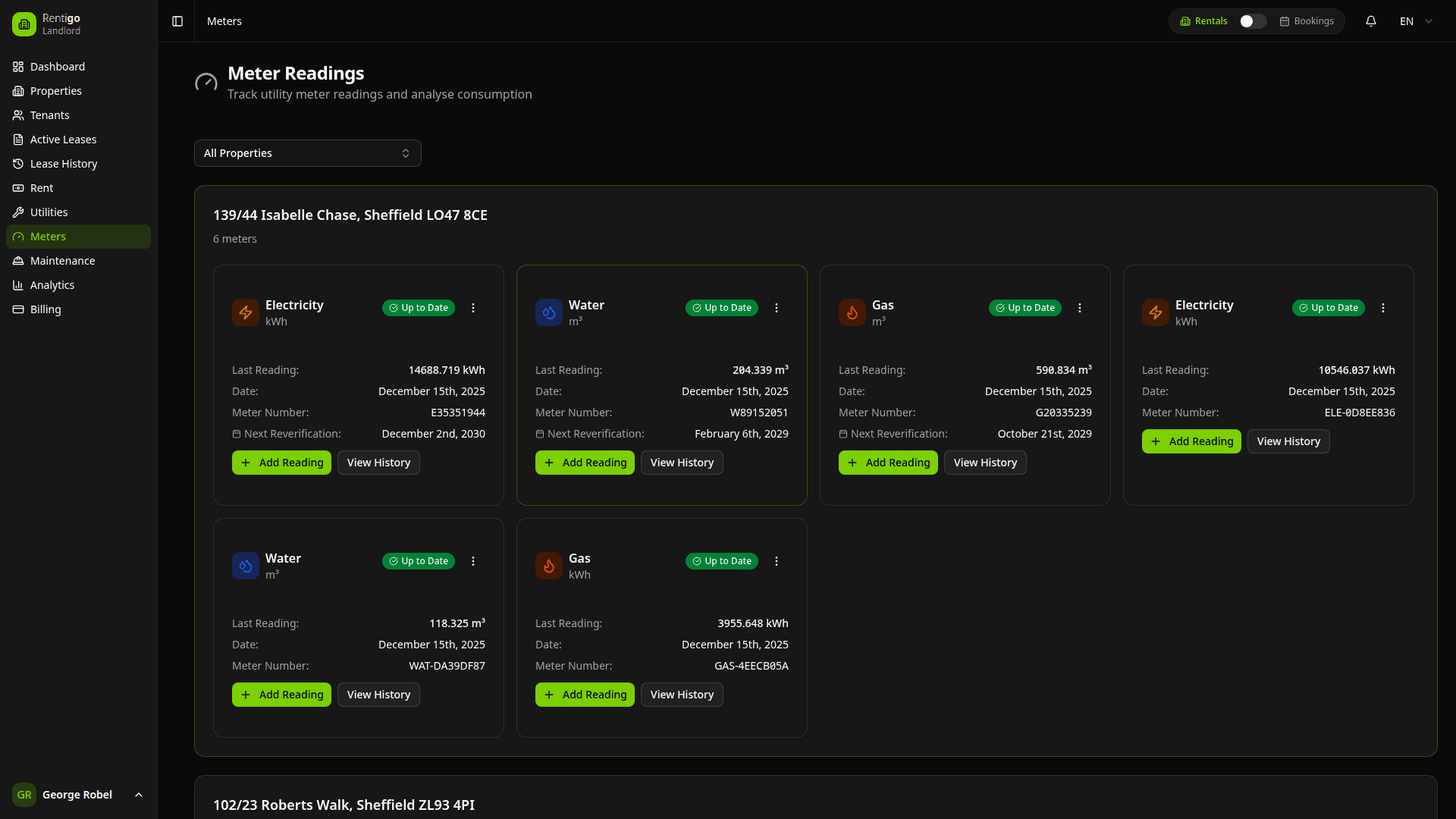
The meters dashboard shows:
- All Meters — Across all your properties
- Latest Readings — Most recent value for each meter
- Consumption — Usage since last reading
- Pending Submissions — Tenant readings awaiting review
- Anomaly Alerts — Any unusual patterns detected
- Overdue Meters — Meters without recent readings
Quick Actions
From the meters list, you can:
- Add Reading — Record a new meter value
- Review Submissions — Approve or reject tenant readings
- View History — See all readings and consumption
- View Analytics — Charts and trend analysis
- Configure Alerts — Set up anomaly detection
- Edit Meter — Update meter settings
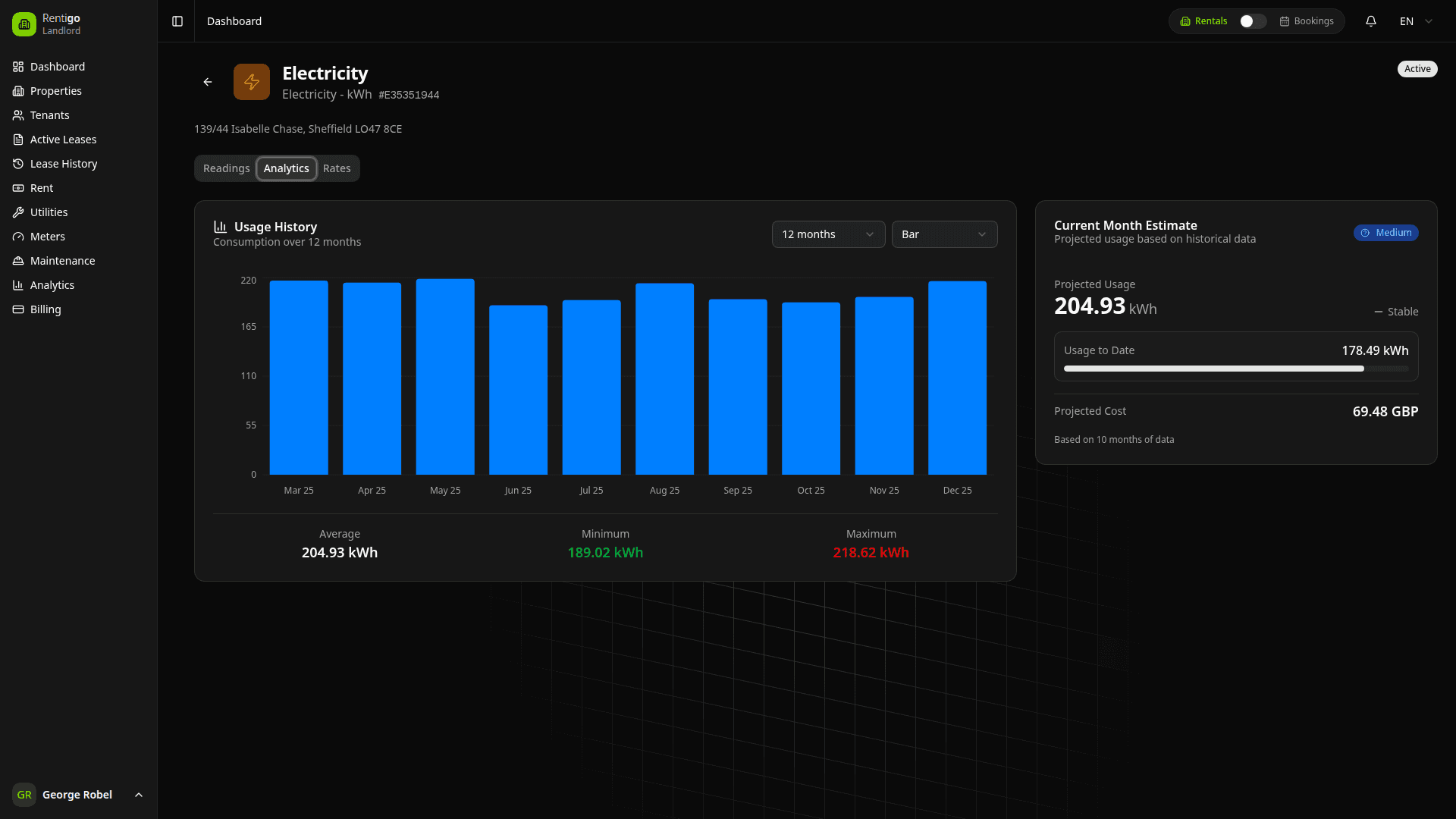
Meter Analytics
For each meter, you can view:
- Consumption Charts — Visualize usage over time
- Trend Lines — Identify patterns and seasonality
- Cost Estimates — Based on configured rates
- Comparisons — Compare periods or similar properties
Linking to Bills
Meter readings can be linked to utility bills:
- Create a utility bill for the property
- Select the meter to link
- Choose the reading period
- Rentigo calculates consumption automatically
- Apply your rate to determine the cost
See Utility Types for bill management.
Next Steps
- Meter Types — Configure different meter types
- Readings — Recording and managing readings
- Anomaly Detection — Set up usage alerts
- Utility Types — Managing utility bills